
Today, we’re introducing OLKIL Remote — a new way to control your AI-powered development workflow from anywhere.
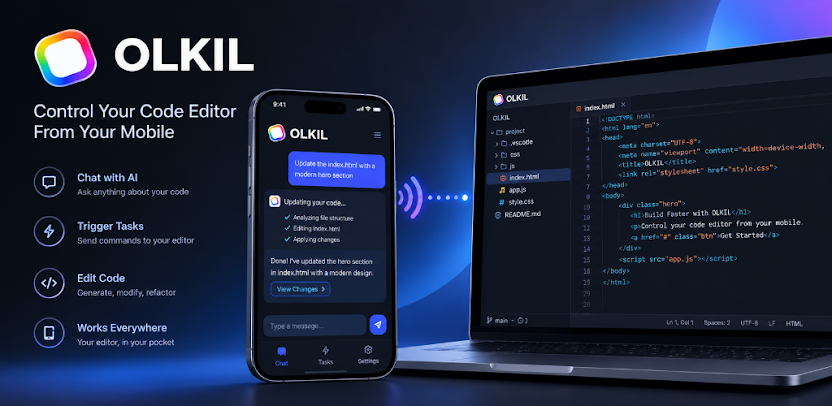
With OLKIL Remote, you can connect your OLKIL IDE or OLKIL VS Code Extension to your phone and control your active development environment remotely, even when you’re away from your computer.
OLKIL Remote is now available on Google Play and through the OLKIL website.
Your Development Environment, Wherever You Are
Imagine leaving your computer at home and heading out.
You suddenly remember a task you want your AI coding agent to handle. Instead of waiting until you get back to your desk, simply open OLKIL Remote, send the task, and let your connected OLKIL environment handle it.
No matter where you are, your development workflow can stay connected.
Connect in Seconds
Connecting OLKIL Remote is simple.
Inside your OLKIL IDE or OLKIL VS Code Extension, you’ll find an Access Remote button.
- Open your OLKIL IDE or VS Code.
- Open the project you want to control.
- Turn on Access Remote.
- OLKIL will display a QR code.
- Open OLKIL Remote on your phone.
- Scan the QR code.
That’s it.
Once the QR code is scanned, your phone connects to your OLKIL development environment.
Give Your AI Agent Tasks From Anywhere
Once connected, you can send tasks directly from OLKIL Remote.
For example, you could ask your agent to:
- Fix a bug
- Modify an existing feature
- Create a new component
- Update project files
- Refactor code
- Investigate an issue
- Make changes to your currently opened project
The task is executed in the project that’s open in your connected OLKIL environment.
You don’t have to be sitting in front of your computer to keep development moving.
See and Control Changes From Your Phone
OLKIL Remote doesn’t just let you send tasks.
You can also see the changes your AI agent makes to your project directly from your phone.
Review what changed, monitor your agent’s work, and revert changes when needed.
Your phone becomes a remote control for your AI-powered development environment.
Keep Your PC Ready for Remote Development
When Remote Access is enabled, OLKIL prevents your computer from entering sleep mode so your connected development environment remains available for remote tasks.
This allows you to leave your development machine running, enable Remote Access, and continue interacting with your project through OLKIL Remote while you’re away.
Built for the Agentic Era
AI coding is moving beyond simple autocomplete and chat.
AI agents can understand projects, modify files, work through development tasks, and help complete larger engineering workflows.
OLKIL Remote takes that experience beyond your desk.
Your AI coding environment doesn’t have to be limited to where your computer is.
Whether you’re at home, at a café, traveling, or simply away from your desk, you can stay connected to your development environment.
Download OLKIL Remote
OLKIL Remote is available now on Google Play.
Download OLKIL Remote on Google Play
Connect your OLKIL IDE or OLKIL VS Code Extension, scan the QR code, and start controlling your AI-powered development workflow remotely.
Your code stays at your desk.
Your control goes everywhere.
Welcome to the next generation of AI agentic development with OLKIL Remote.